Short answer: "DoCam Voice Universe" is a free online service that records 10 seconds of your voice and turns it into a three-dimensional picture of thousands of glowing dots. Sound analysis happens directly in the browser — the recording is never sent to a server — and the result can be saved as a PDF, a video, or a custom .docam file. Try it at docam.io/voice.
Introduction
A voice disappears the second it is spoken. A child's laugh, a confession, a favorite line of a song — we remember them, but we cannot see or touch them. The Voice Universe solves that: it converts sound into a visual image that stays with you forever. In this article we'll cover how the service analyzes your voice, what you can do with the finished picture, and how to get the best result.
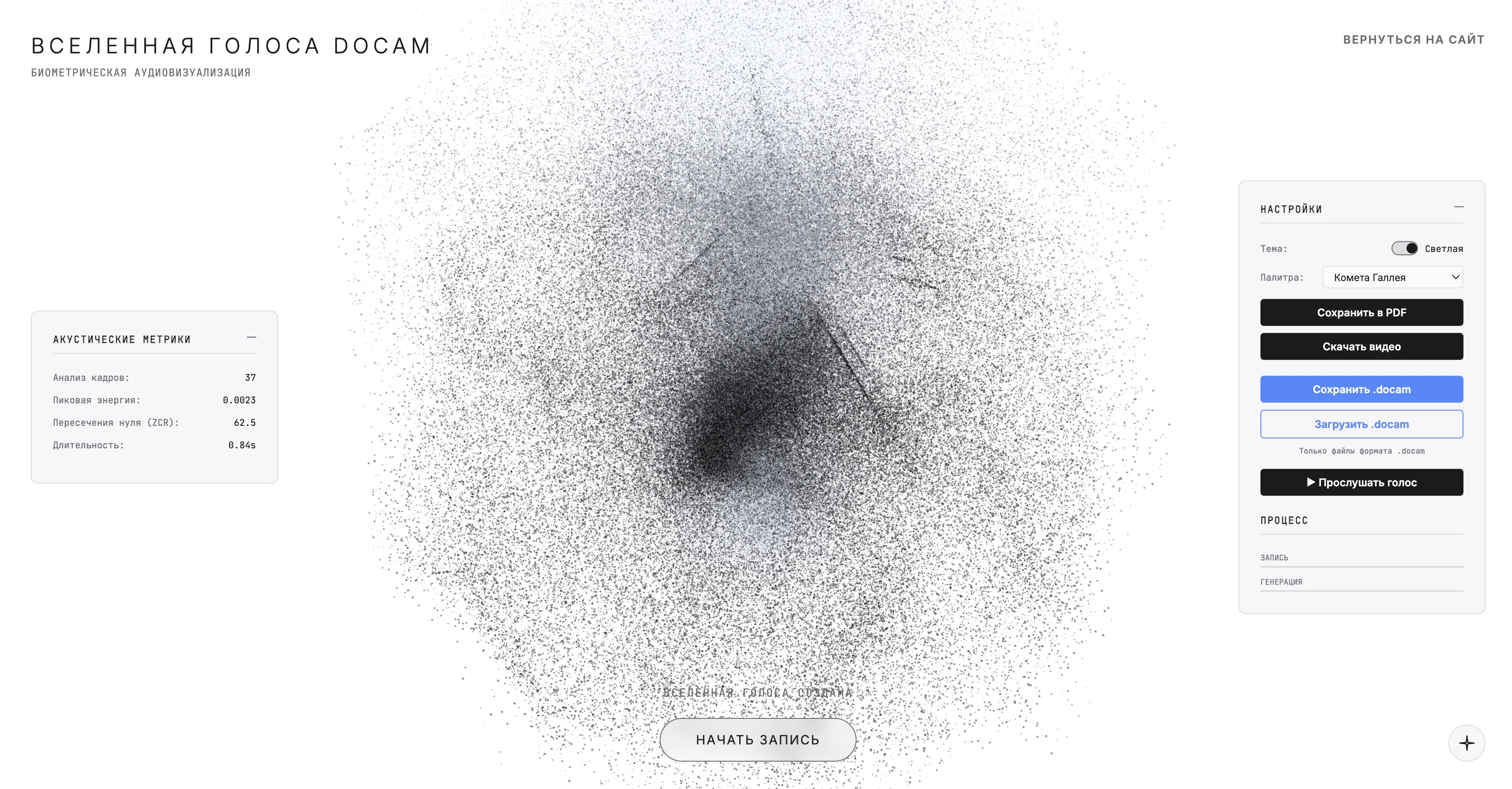
Quick Start
- Open the service. Go to docam.io/voice on your computer or phone — no install needed.
- Record your voice. Tap "Start recording" and allow microphone access. You have 10 seconds — read a phrase, a poem, or just say something meaningful.
- Save the result. Pick a palette and theme, then download the picture as a PDF, a smooth video, or a .docam file for sharing.
Detailed Guide
What voice visualization is
Voice visualization is the construction of a graphic image based on the acoustic characteristics of speech. The program measures sound parameters and maps them to coordinates, color, and motion of dots in a 3D space. Unlike a regular waveform that shows loudness over time, this image shows the overall "character" of the voice as a whole.
How the service analyzes sound
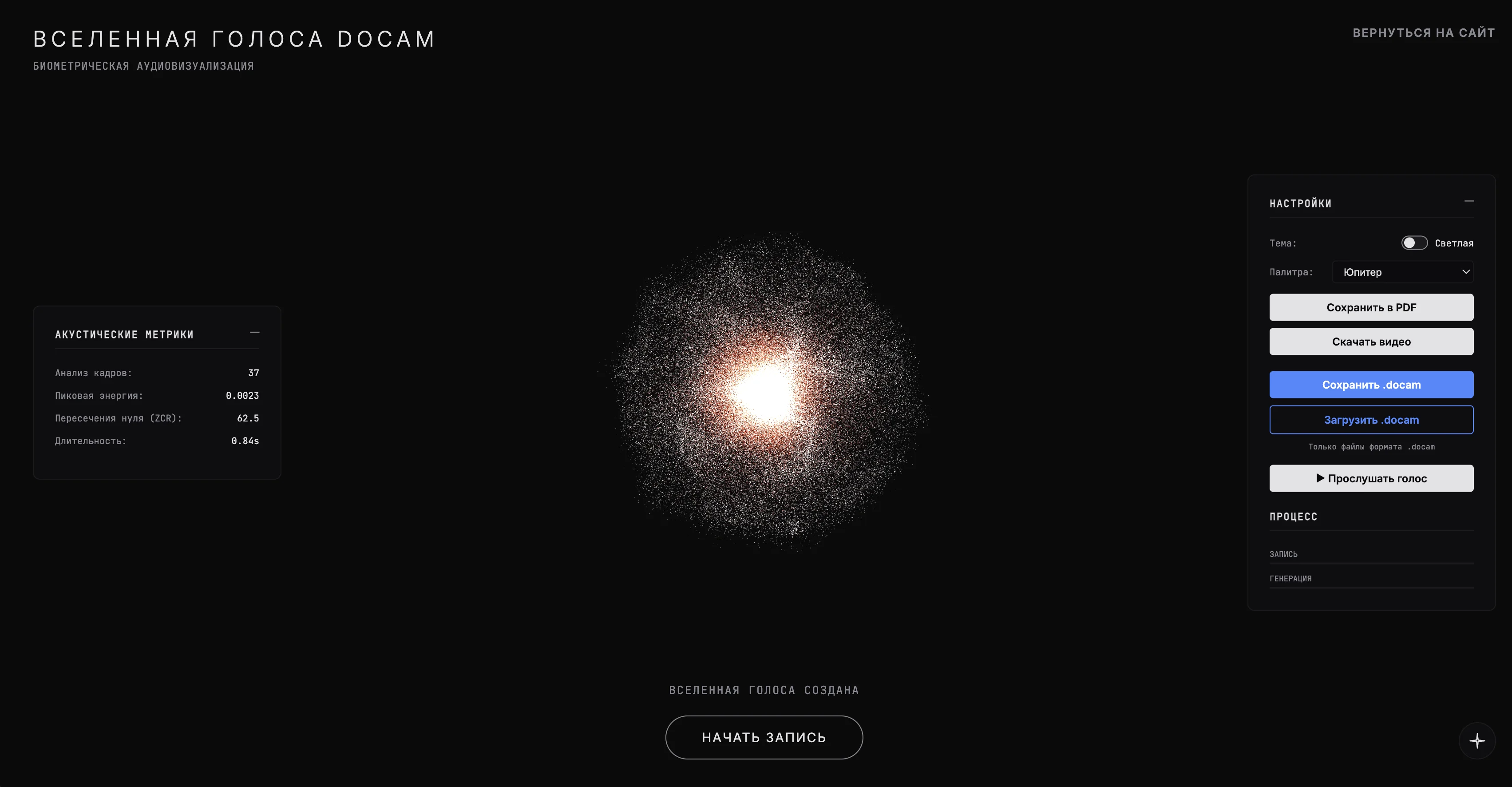
The core is the Fast Fourier Transform (FFT) — a mathematical method that decomposes sound into its component frequencies. On every frame of the recording, DoCam Voice computes several key metrics:
- Peak energy — the strength and emotional intensity of what was said.
- Zero-crossing rate (ZCR) — an indicator of voice timbre and texture.
- Frequency spectrum — the distribution of bass, mids, and highs, from which about 1024 unique scene points are formed.
That is how a single phrase becomes a "universe" that breathes and pulses in sync with your words. If you want to be sure the microphone sounds clean first, check it on the microphone test.
Recording and image settings
After recording, open the settings panel (gear icon in the top-right corner). You'll find a light and a dark theme, plus ten cosmic palettes: Neptune, Mars, Uranus, Jupiter, Saturn, Pluto, Venus, Mercury, Dark Side of the Moon, and Halley's Comet. The palette sets the mood: a warm Mars suits a romantic message, a minimal Mercury fits a clean poster.
Save formats
You can save the finished visualization in three ways:
- PDF — a still snapshot for printing a poster or a gift.
- Video (.webm) — smooth particle animation, convenient for social media and "live wallpapers".
- .docam — a custom file that packages both the visualization and the audio recording itself.
What makes the .docam format unique
The .docam file stores not only the picture but also the sound. Send it to a friend, and when they upload it back to docam.io/voice, they will see the same universe and can press "Play voice" to hear the hidden message. It turns the visualization into a little audio postcard.
Ideas: What to Create with the Voice Universe
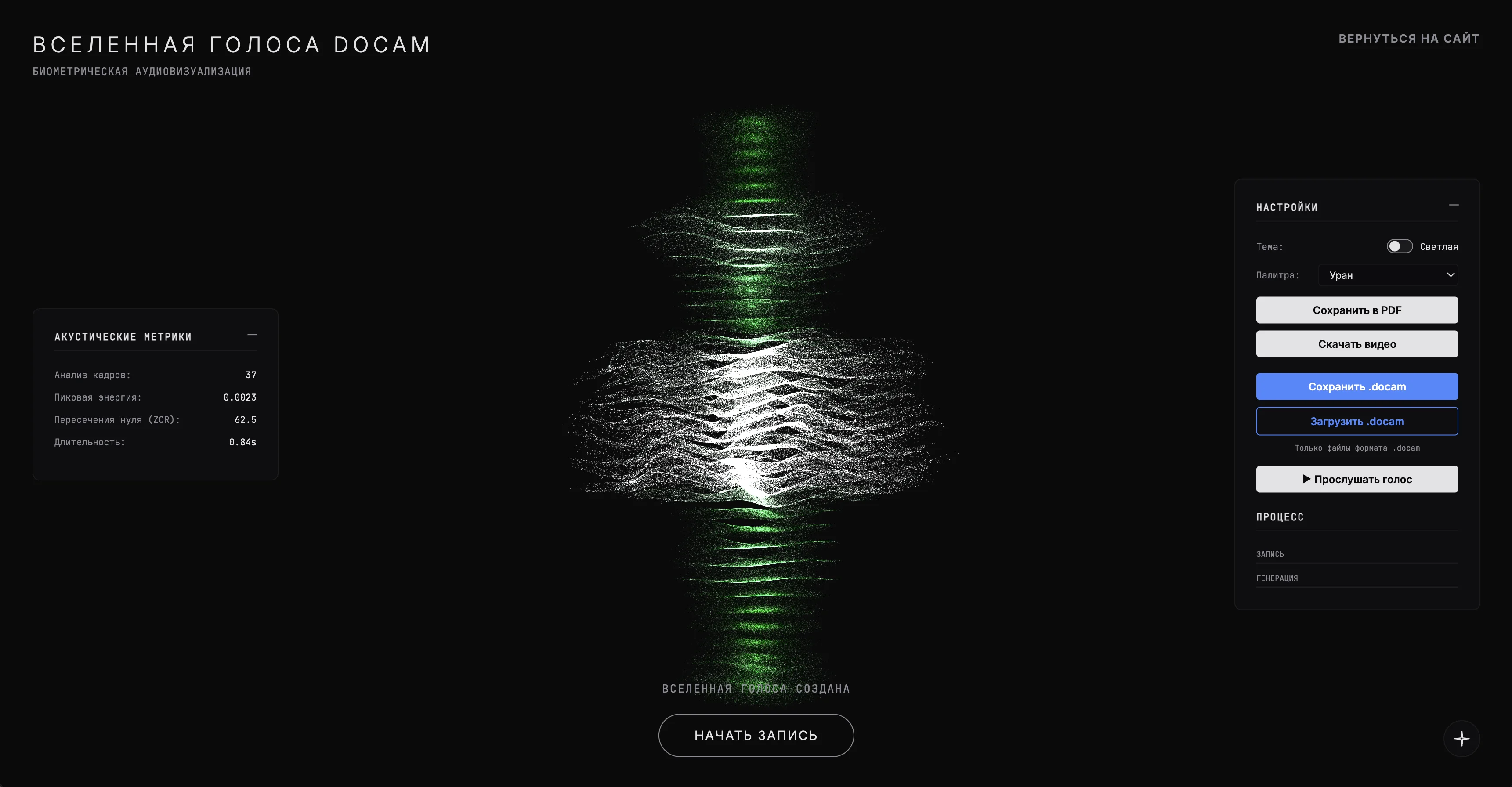
- A child's voice keepsake. Record the first word, a rhyme, or your baby's laugh and print the picture as a PDF — the voice changes every year, but the image will last.
- A love note. Say "I love you", pick the Venus or Mars palette, and send a short video to a loved one.
- Live wallpapers. Record a mantra or calm breathing and set the animation as your phone's lock screen.
- A poster for your interior. A meaningful phrase in a clean palette becomes an abstract hi-tech art object.
- Audio postcards. Exchange .docam files to share not just the image but the voice itself.
Tips for the Best Result
- Record in a quiet room — less background noise means a cleaner, more expressive picture.
- Use an external or lavalier microphone — for picking the right one see how to set up a microphone.
- Say a meaningful phrase with intonation — monotone speech produces less interesting geometry.
- Match the palette to the meaning — color strongly changes how the final image is perceived.
- If the browser denied microphone access, fix it with the guide what to do if microphone access is blocked.
Key Takeaways
- The service turns 10 seconds of voice into a 3D picture of thousands of dots using FFT analysis.
- All processing runs locally in the browser — the recording is not sent to any server and is not stored anywhere.
- The result can be saved in three formats: PDF for printing, video for social media, and .docam to share with sound.
- Ten palettes and two themes let you tune the mood of the picture to the occasion.
- Recording quality directly affects the image — silence and a good microphone give the best result.
Conclusion
That's it. Now you know how to see your own voice and keep it forever. The Voice Universe is a free way to turn a fleeting sound into a tangible piece of art: print it, give it as a gift, or just preserve a precious moment. Open docam.io/voice and create your first universe.
FAQ
Is it safe to record my voice in this service?
Yes. Sound analysis and image creation happen entirely in the browser on your device. The recording is never uploaded to a server and is never saved anywhere without your action.
Do I need to sign up?
No. The service works without an account and without installing any software — just open the page and allow microphone access.
Does Voice Universe work on phones?
Yes, the service opens in a mobile browser. Settings and saving are available from the menu; recording just requires microphone permission.
What is a .docam file?
It's our custom format that stores both the visualization and the audio recording. The recipient can open it at docam.io/voice, see the picture, and play the voice.
Is the service really free?
Yes, completely. No subscriptions, no watermarks, and no mandatory ads. You can support development with a voluntary donation via the button on the service page.
Create your own Voice Universe at DoCam.io — it's free and takes less than a minute.